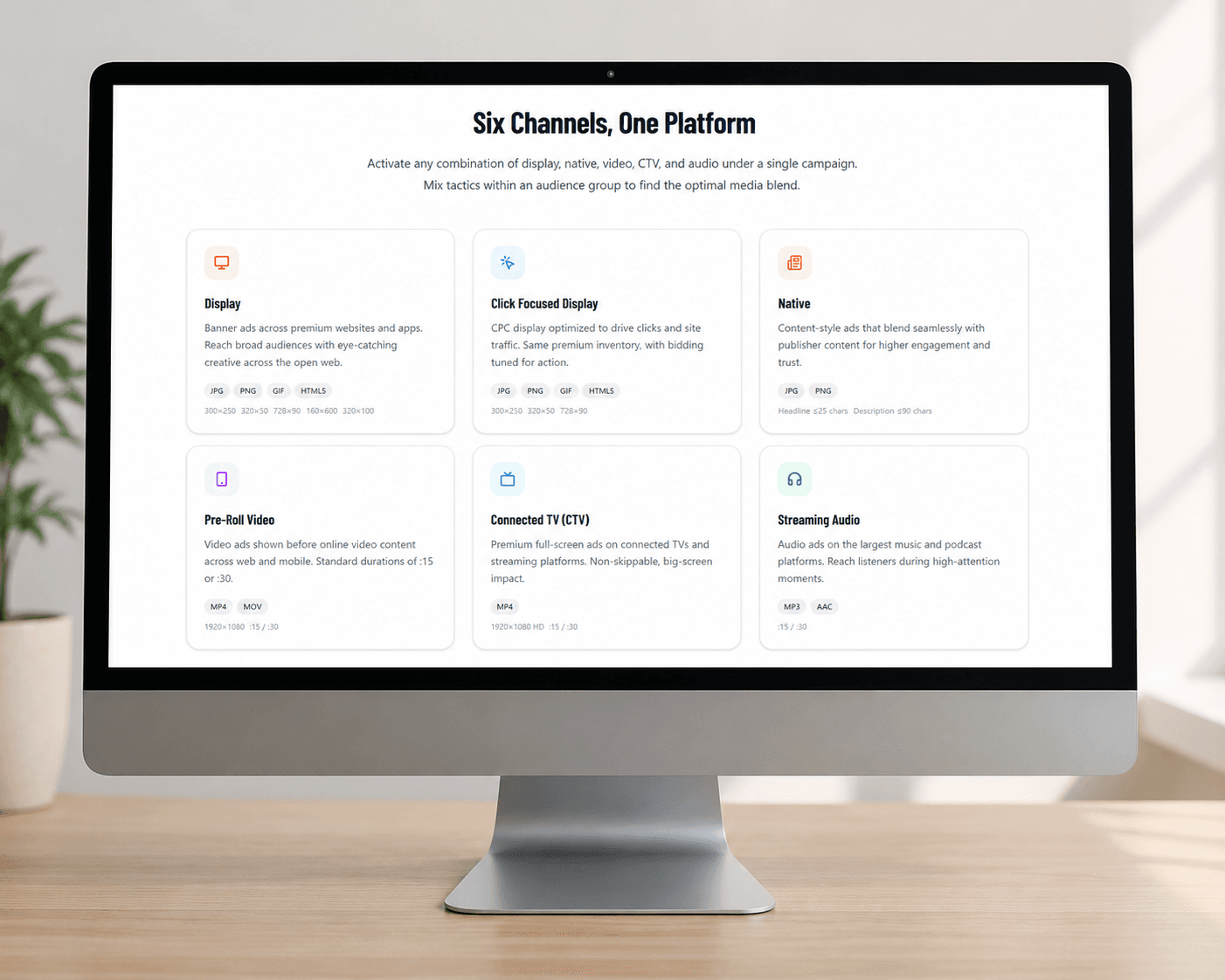
A reader checks the news, catches up on sports, or starts planning a trip. A sponsored post appears alongside the stories they came to read. It has a photo, a short headline, an advertiser name, and a clear next step.
That is the appeal of native advertising: your message takes a form that fits the page. The creative can introduce a destination, explain a service, or give someone a reason to explore a product while they are already browsing.
Manifold's self-serve campaign builder brings the creative and placement choices into the same workflow. You can add Native to your campaign, build the ad from individual elements, and choose site categories to prioritize for premium inventory placement.
What makes an ad native?#
A native ad uses the visual structure of the content around it. In a news feed, it may look like a story card. In a travel setting, it may resemble a destination recommendation. The paid placement still needs a visible label such as Sponsored or Ad.
The format is assembled from separate assets: an image, headline, description, advertiser name, and call to action. Publishers can arrange those elements to fit their available placements. Microsoft's native advertising overview explains this relationship between the ad and its surrounding content.
A sponsored feed card can send readers to a page on your own website. Buying that placement does not mean a publisher has written an article about your brand. A custom editorial sponsorship is a separate arrangement.
Five examples of sponsored content in a publisher feed#
These examples start with screenshots captured from the live MSN, BuzzFeed, Yahoo, ESPN, and Tripadvisor sites on October 5, 2026. MSN shows an original native ad card within the news feed. Blue dotted outlines identify the example placement in each screenshot. On the other four sites, we placed the fictional Riverbend Travel creative into existing sponsored ad slots using image editing. Those four images are illustrative composites, not records of delivered campaigns. The examples show placement context and do not confirm Manifold inventory access or guarantee delivery on those domains. Actual formats and availability depend on the publisher and campaign.
MSN: msn.com#
The outlined MSN card sits alongside editorial stories and follows the same image-and-headline format. Its Ad label distinguishes the paid placement from the surrounding news. This is the original live ad, included to show the native feed format.
BuzzFeed: buzzfeed.com#
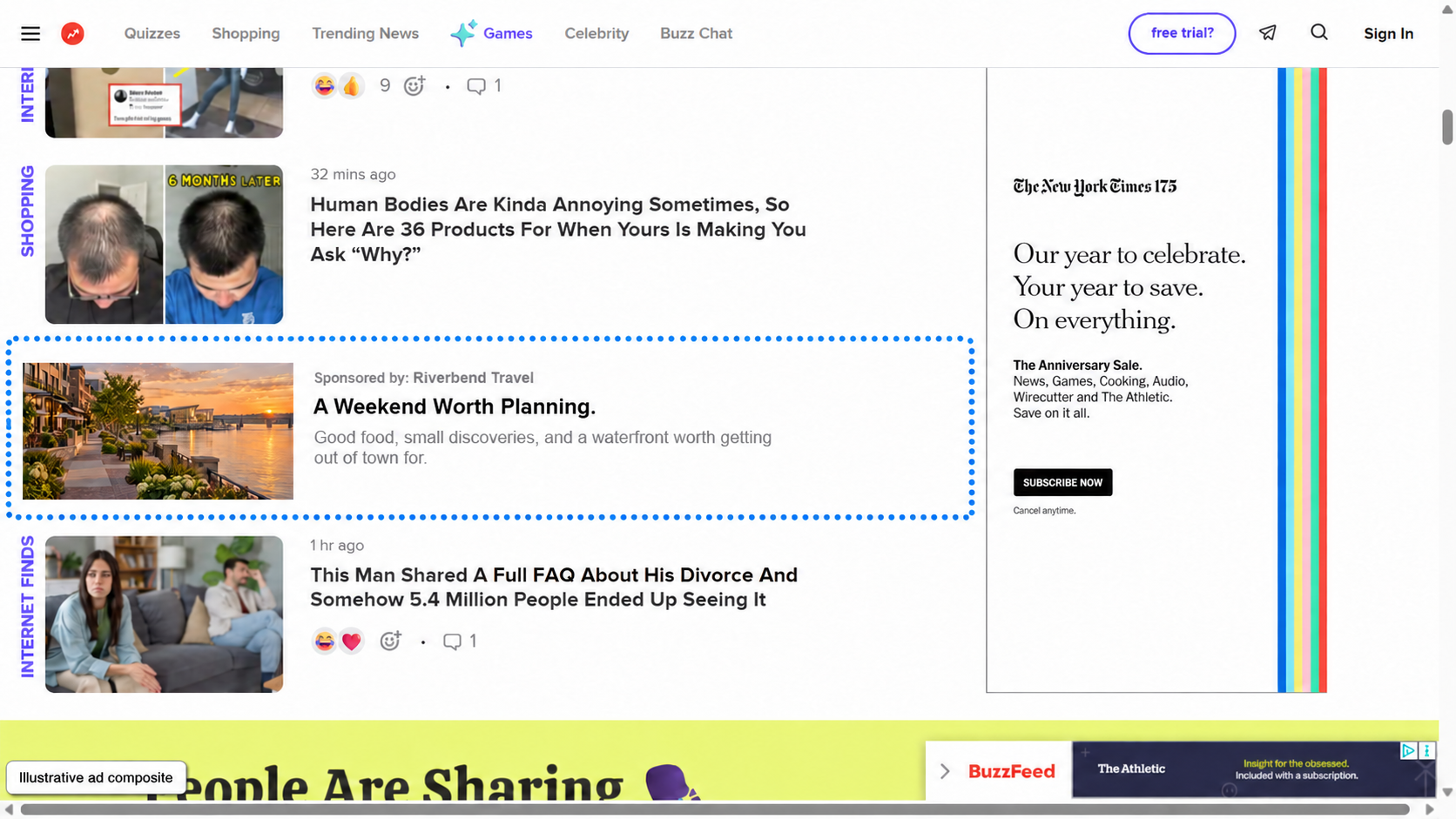
A lifestyle feed calls for a specific, approachable idea. A weekend itinerary works better here than a broad claim about an unforgettable destination.
yahoo!: yahoo.com#
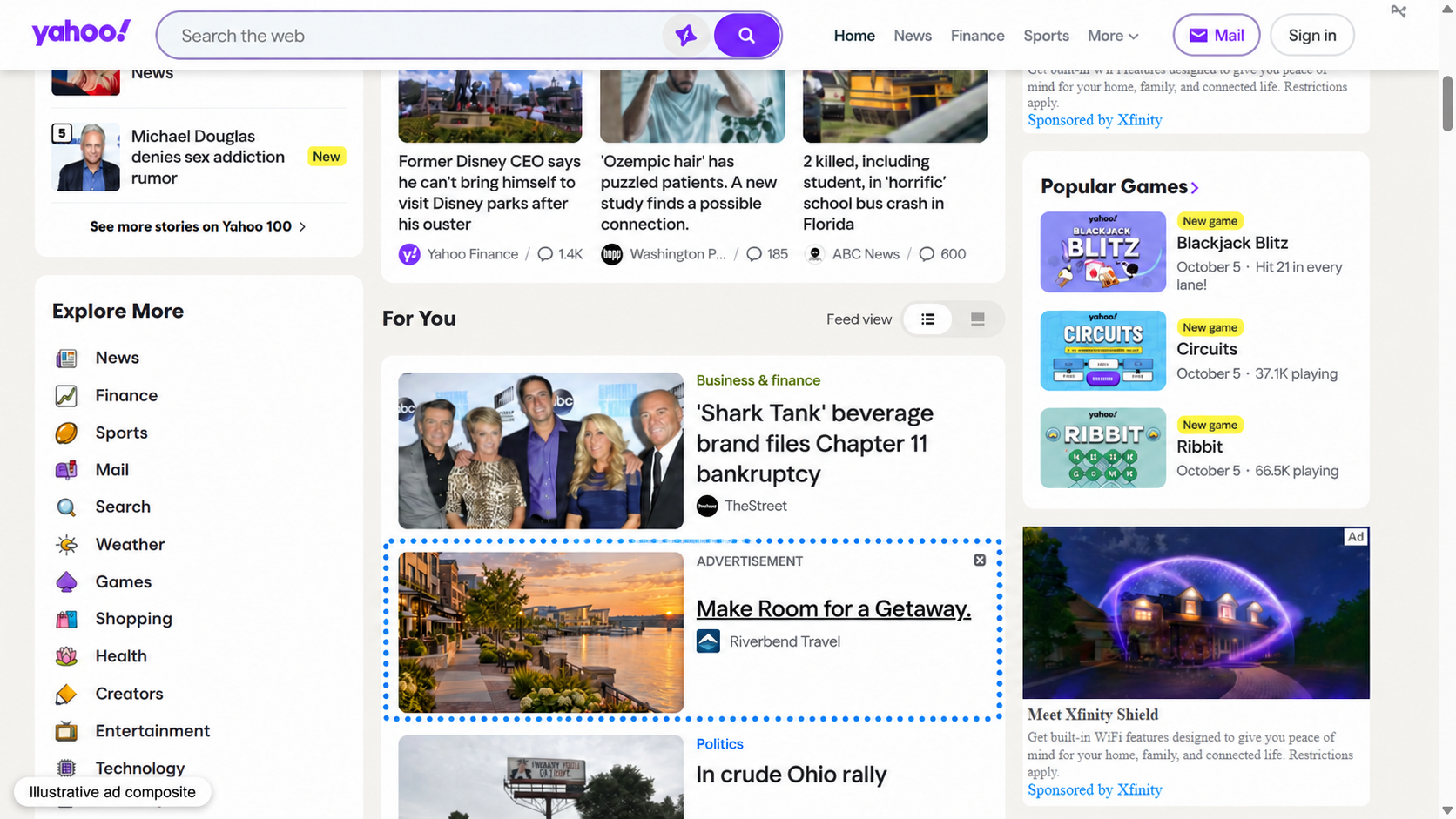
In a news and lifestyle stream, the image earns attention and the headline explains the offer. The advertiser name and ad disclosure identify the paid placement.
ESPN: espn.com#
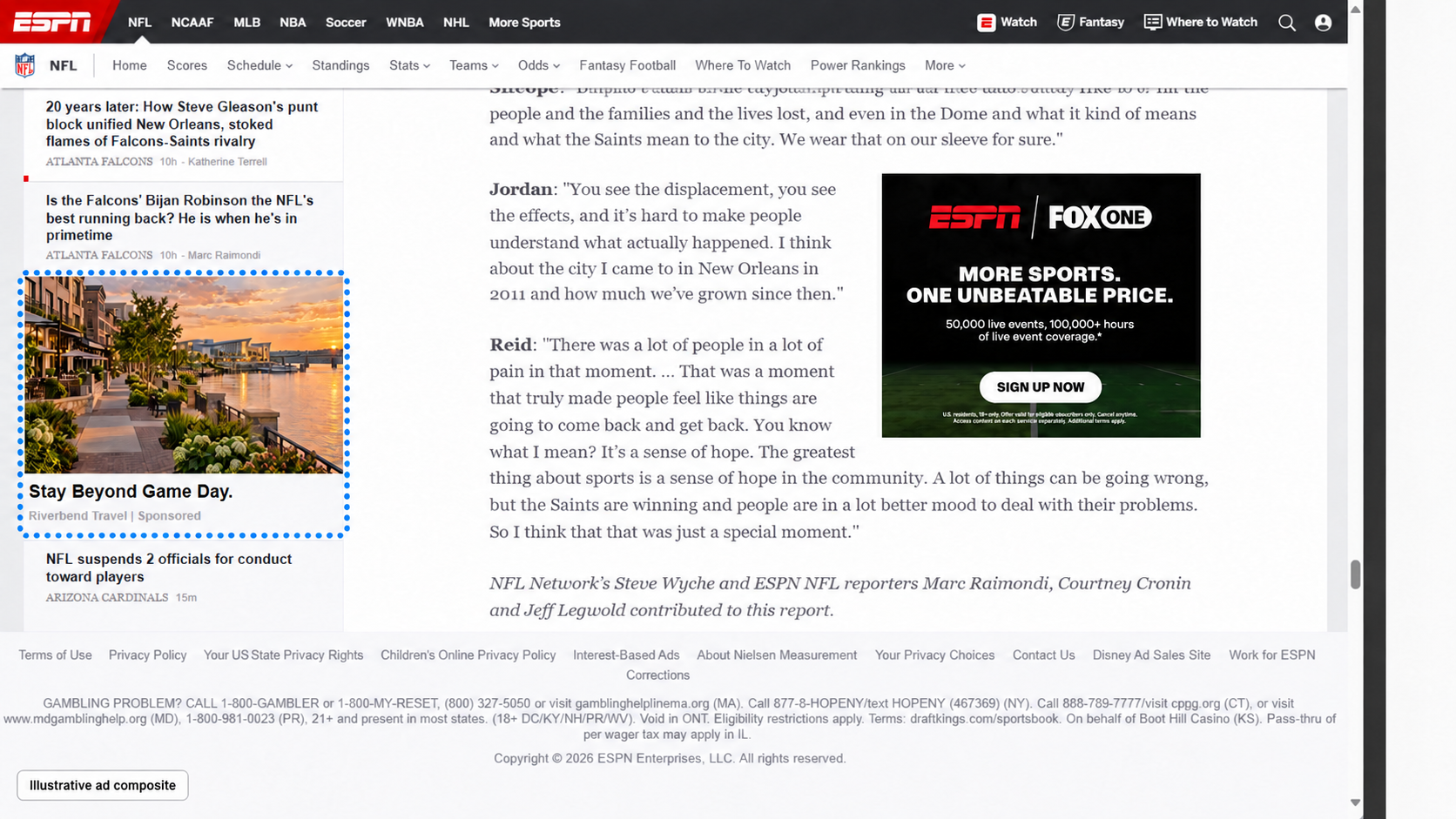
For a sports audience, the same destination can lead with a game day trip. The landing page should follow through with an itinerary relevant to visiting fans.
Tripadvisor: tripadvisor.com#
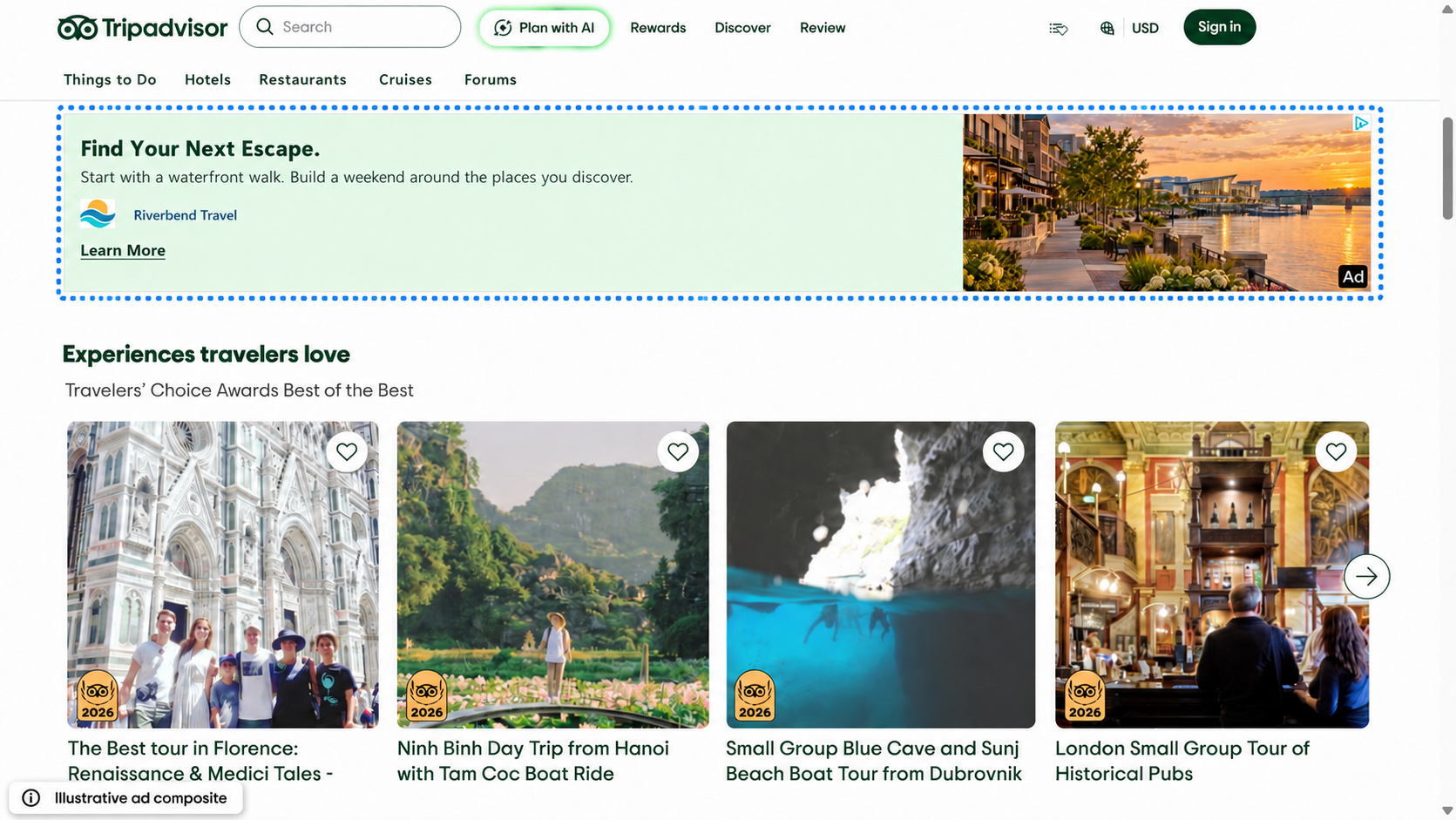
A travel discovery setting puts the message close to trip planning. A destination guide can help the reader decide what to do next without pretending to be a traveler review.
The Riverbend Travel offer stays consistent across the four composites. The headline changes to reflect what the reader is doing. That is a useful starting point when you build creative variations: keep the destination and promise clear, then test how you introduce them.
How to set up a native campaign in Manifold#
1. Define the campaign and audience#
Start with your campaign details, dates, and the audience you want to reach. Set the geographic area to match your business. A regional attraction might focus on nearby drive markets; a service business might choose the cities it can actually serve.
Choose the audience targeting that fits the offer. Audience targeting describes who you want to reach. Site categories add a preference for the environments where your ads appear.
2. Enable Native and set its budget#
In the Tactics step, enable Native and assign its budget. You can use native on its own or include it alongside other tactics in the campaign.
Give native a specific job. For a destination campaign, that might be bringing readers to a weekend itinerary. For a business service, it might be introducing a useful guide before asking someone to book a consultation.
3. Choose the site categories you want to prioritize#
Open Placement & Channel Targeting, find Site Categories, and select Customize. Check the categories that fit your campaign. The selector currently includes 24 options, including News, Travel, Sports, Finance, Business, Food & Drink, Lifestyle, and Arts & Entertainment.
For example, a weekend getaway campaign could prioritize Travel, Food & Drink, and Lifestyle. A campaign built around visiting fans could include Sports and Travel. A business service could start with Business and Finance.
These choices guide placement priorities. Manifold's selector states that selected placements will be prioritized and inventory may be expanded to assist with scale and delivery. Category selection therefore does not create an exclusive site list or reserve a position on a named publisher. Premium placement also depends on eligible inventory, targeting, budget, and publisher requirements.
If you prefer the default approach, leave the selector in optimized mode. You can also return to it with Use Optimized. The default uses your selected audience segments and targeting to guide inventory selection. Site Categories applies to display, native, and video web tactics, so review it in the context of the full campaign.
4. Build the native creative#
In Creative & Tracking, use the native creative fields to enter your copy and upload the image. Manifold currently uses these specifications:
| Element | Manifold requirement |
|---|---|
| Headline | Up to 25 characters |
| Description | Up to 90 characters |
| Advertiser name | Up to 35 characters |
| Call to action | Up to 10 characters |
| Main image | JPG or PNG, at least 1200 × 627 pixels, approximately 1.91:1, up to 5 MB |
| Optional mobile image | JPG or PNG, at least 627 × 627 pixels, square, up to 5 MB |
Keep copy and logos out of the image, as required by the native image specifications. Use the separate text fields to carry the message. Choose a photo with a clear subject and check that the square mobile crop still works.
Here is a complete example for the fictional destination used above:
- Headline: Your Next Weekend Away
- Description: Find waterfront walks, local restaurants, and a reason to stay another night.
- Advertiser: Riverbend Travel
- Call to action: Learn More
- Destination: A weekend itinerary on the advertiser's website
Use Add Native Creative to create another version. Changing one element at a time, such as the headline, makes it easier to understand which idea earns useful visits.
5. Connect the landing page and preview the ad#
Set the landing page URL and add UTM parameters if you use them for website analytics. Manifold also supports URL and UTM overrides for individual native creatives, which helps when different ads lead to different guides or offers.
Preview each creative before submitting. Check the image, headline, advertiser name, and call to action together. The preview helps you review the combination; the final publisher layout can vary.
Open the landing page on a phone as well. If the ad promises a weekend guide, readers should arrive at that guide with the itinerary easy to find. A generic homepage adds another step between the promise and the useful information.
6. Review and submit#
In Review & Submit, check the dates, budget, audience, category preferences, creative, and destination URLs. Submit the campaign when those details are ready for review. Submission is not a guarantee of immediate delivery or placement on a particular site.
Write the ad around a useful next click#
Native creative works best as an honest invitation. Name the idea, show something relevant, and send readers somewhere that delivers on the headline. Avoid a dramatic claim that the destination page cannot support.
For a first campaign, build a small set of creative variations around one offer. Choose categories with a clear connection to that offer, then assess traffic quality as well as clicks. Use your website analytics and configured conversion tracking to see whether visitors read the guide, explore products, or make an inquiry.
Start a campaign in Manifold with your audience, native creative, and preferred site categories ready. If you need help matching the offer to the placement, talk with the Manifold team.